
Just a couple of new links: http://halifaxguitarsociety.ca/ http://charkecormierduo.com/
Just a couple of new links: http://halifaxguitarsociety.ca/ http://charkecormierduo.com/

There are 3 new recordings on soundcloud: the first is the first of four Scarlatti arrangements that I’ve done for guitar/flute The next two are the first two movements (of four) from a brand spanking new 25 minute epic work for guitar and flute by Derek (there are some perks to working with a Juno […]

The Charke/Cormier Duo will perform a concert of contemporary works at The Lunenburg Academy of Music Performance on June 4, 2016 at 8:00PM. The programme is as follows: Programme Toward the Sea (1981) – Toru Takemitsu I. The Night II. Moby Dick III. Cape Cod Wired & Released (2013) – Derek Charke II. And Musiques Populaires […]

My copy of the latest Soundboard (GFA magazine) has finally arrived. It is a thrill to see how good the scores look inside. My typesetting efforts really jazz the magazine up!

I’ve been holding off making this announcement, but I’m going to go ahead and post it: I am now the musical engraver for the magazines “Soundboard” & “Soundboard Scholar”! A few years back I became a member of the Guitar Foundation of America and from that time forward I was thinking about how I could […]

There is a video on PBS (Socal) website that features the 2014 Guitar Foundation of America Competition/Convention. I’m on the video because I took part in the GFA Guitarkestra 🙂 I’m very much looking forward to this summer in Oklahoma!!
I’m quite busy practicing these days and I have a couple of exciting projects to share with you: 1. I’ve been working with our school’s composition/flute prof, Derek Charke, putting together a concert of Classical Guitar and Flute music. So far we’ve chosen to perform a set of pieces by Celso Machado, Histoire du Tango […]

Exciting news: I’ve created a new program which randomly generates music theory/rudiments worksheets and corresponding answer keys. I’ve been working on this a few months and I’ve got most of the bugs worked out. To use the program itself you need to download the source and you have to have Python3 and lilypond installed on […]

I am very excited to be part of the MGC again with Patrick Kearney, Jeff McFadden & Adam Holzman. More info can be found here: The 2014 Montreal Guitar Competition

Shattering the Silence, Acadia’s New Music Festival starts next week and the guitar department will be well represented. The Acadia guitar quartet is going to play Philip Glass’ 3rd String Quartet (Mishima), Leo Brouwer’s Cuban Landscape With Rain & a brand new piece from Martin Campbell (Acadia composition student) called ‘Perspectives’. It should be a […]

I’m performing tonight with the Turko-Balkan dance band ORO! The show starts at 7:30 at the Wolfville curling club. Come on out, have a beer, listen and dance to some cool music!

There’s going to be lots of classical guitar offerings at the TR concert tonight including: The Acadia Guitar Quartet (Me, Alec Leard, Matthew Martin & Jeff Torbert) will play the entire 3rd String Quartet by Philip Glass The Cormier/Martin Guitar Duo will play Jongo by Paulo Bellinati And Alec Leard, winner of this year’s Tom […]

I just wanted to let everyone know that I’ve been invited to join ORO!, a Turkish/Balkan Dance band. We’ve had a few rehearsals and it’s very fun music to play. We also have a number of performances coming up starting with this coming weekend and the Deep Roots Music Festival. Keep an eye on upcoming […]

http://www.thecoast.ca/halifax/steve-reichs-2×5/Content?oid=3210559

So I’ve just gotten home from a few weeks on the road. Edmonton and Montreal were great. I got to hear many good players while I was out, but I’m very happy to be home again. The next thing that I’m getting ready for is another concert playing the great Steve Reich piece 2×5….time to […]

I just posted a new video of myself and Matthew Martin playing Maximo Diego Pujol’s “Tango, Milonga y Final” on my Media page. It was recorded on Feb. 11, 2012 at the Tom Regan concert. I hope you enjoy, we had a lot of fun playing it!

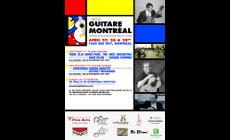
Well it’s official, I’ll be judging the 2012 Montreal Guitar Competition this year again! you can read more about that here. I’ll be playing a concert as well as a masterclass that weekend which is right after I return from adjudicating the Edmonton Kiwanis (busy April this year). Also I’ve added some non-classical-guitar gigs to […]

It’s been a very long time since I posted anything, so it’s my new year’s resolution to do more this year. This first post of the year will be a computer post. Over the holidays I picked up a MacBook Air, and I have to say I love the design. Some of the highlights include: back-lit keyboard, multi-touch […]